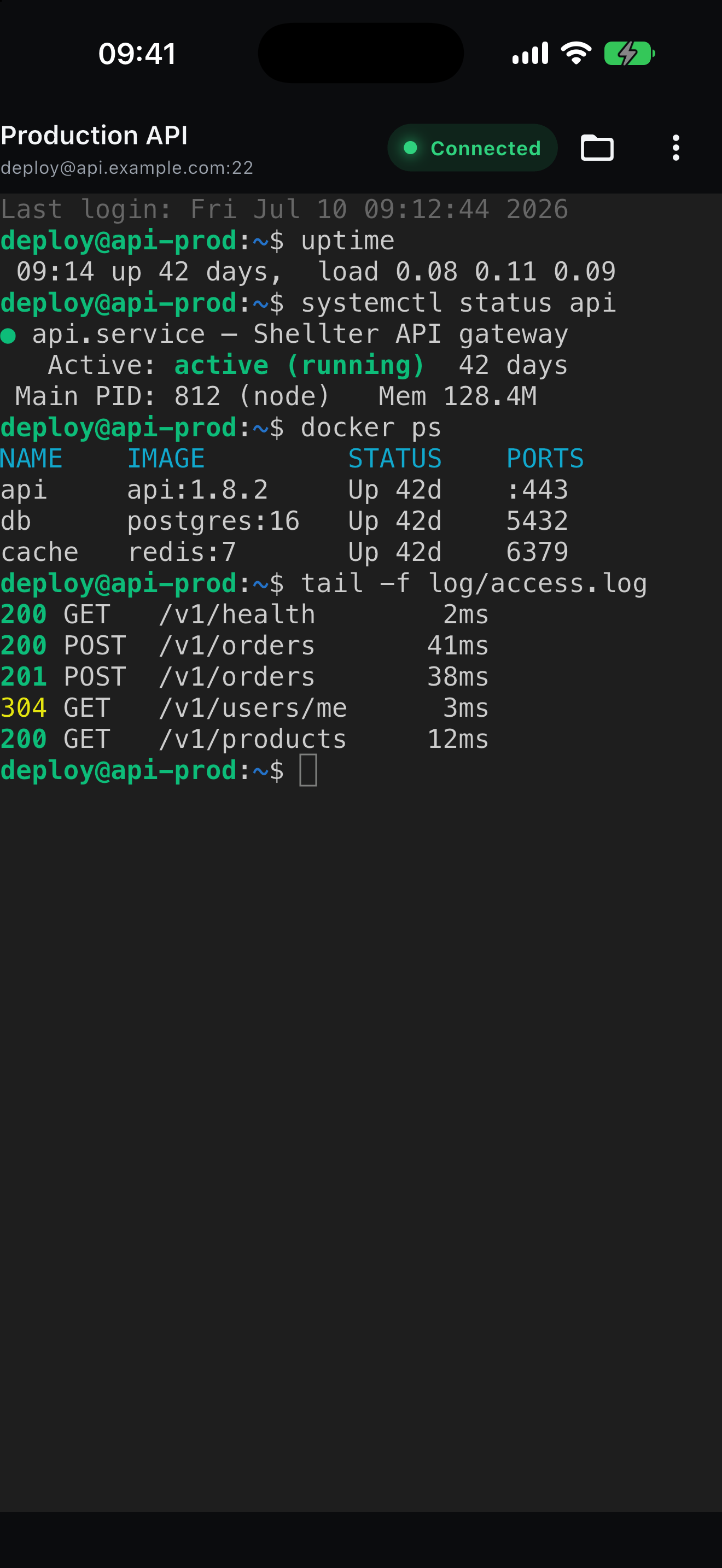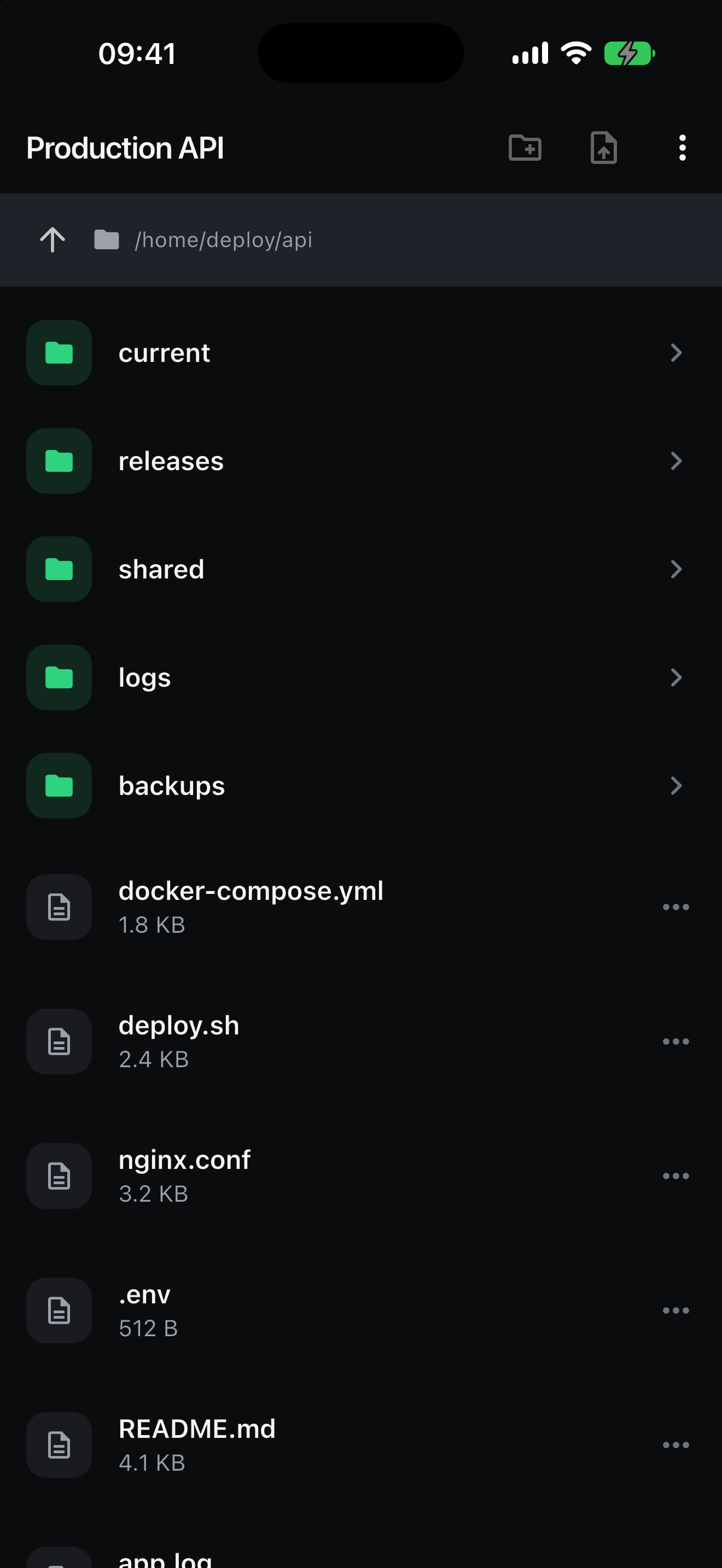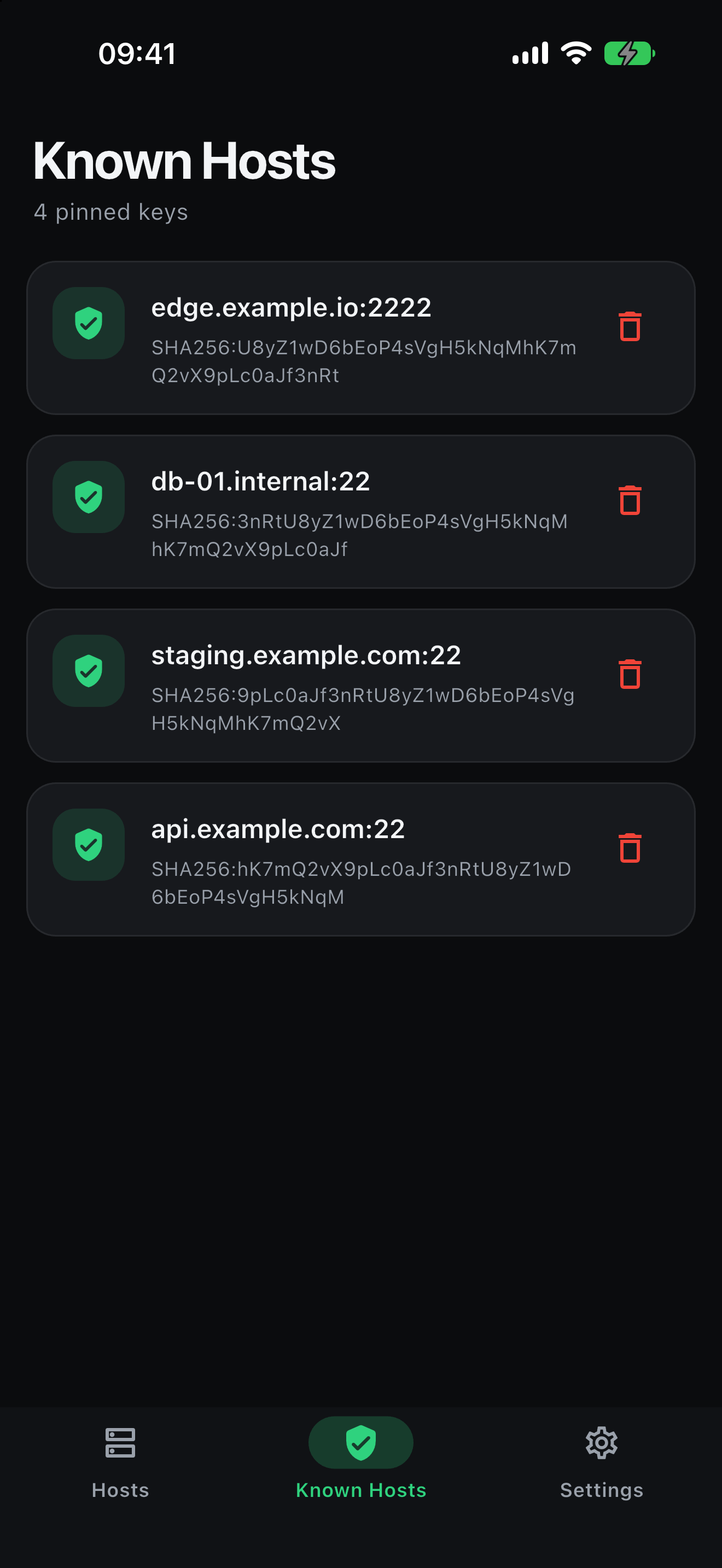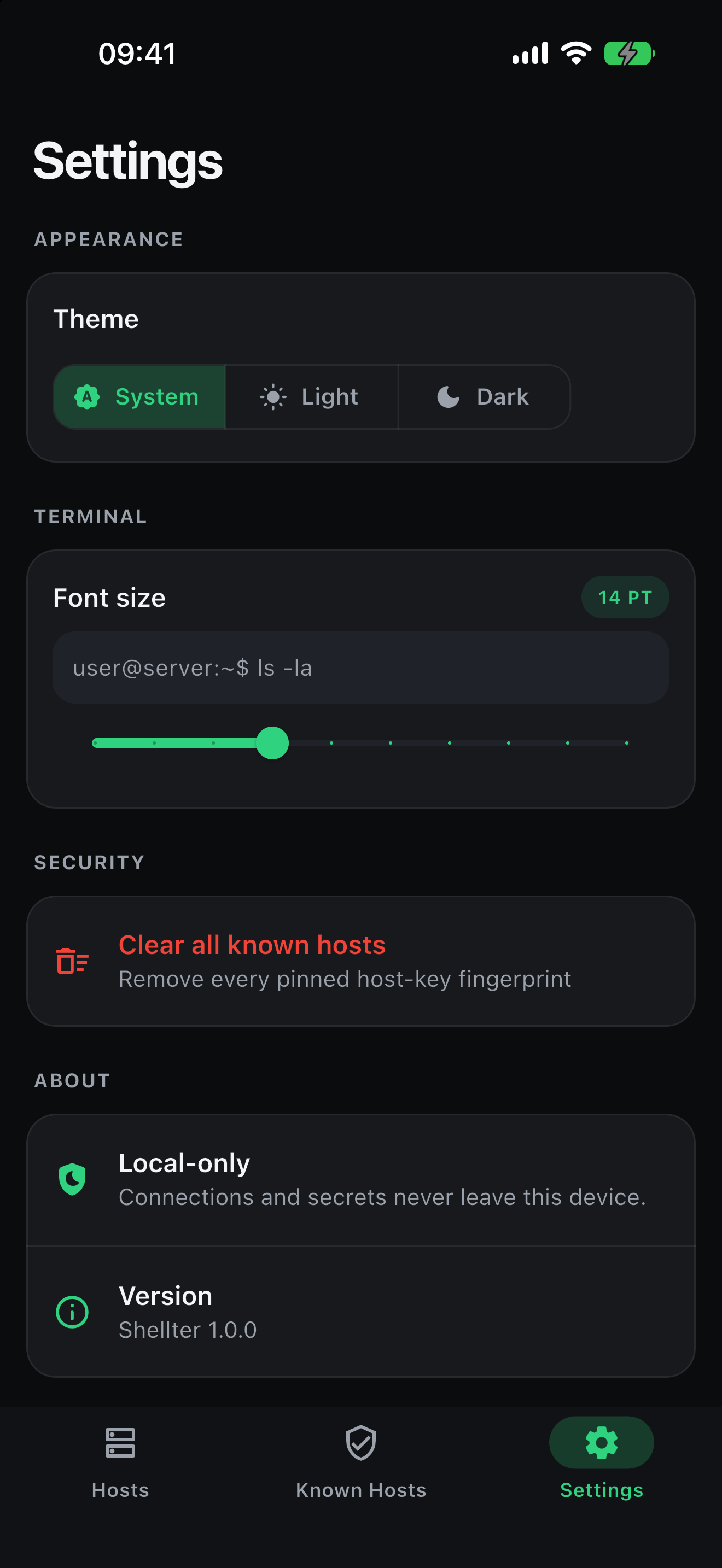
The host key is pinned the first time you connect and compared on every reconnect. A mismatch stops the connection before authentication, so a password is never sent to a server that failed the check. Continuing takes an explicit decision.
SSH · SFTP · FTP — iOS and Android
A terminal in your pocket that keeps its mouth shut.
Shellter is an SSH, SFTP and FTP client with no account, no sync and no telemetry. Your servers, keys and passwords stay on the phone you typed them into.
~/what-is-stored
Everything it keeps, and where it keeps it.
This is the complete list. There is no fourth column for “shared with partners”, because there are no partners.
| Data | Where it lives | Leaves the device |
|---|---|---|
| Passwords, private keys, key passphrases | Platform keychain / keystore, hardware-backed where available | Never |
| Connection details | Local database in the app’s private container | Never |
| Pinned host-key fingerprints | The same local database | Never |
| Theme and terminal font size | A file in the app’s private container | Never |
| Files you download | A Downloads folder you can open in Files | Never |
~/security
Three protocols. Three honest verdicts.
Most apps market every protocol as “secure”. These are not equally secure, so here is what each one actually gives you.
Traffic is encrypted, but the underlying FTP library accepts any TLS certificate it is offered. That defeats passive eavesdropping. It does not stop an attacker who can intercept the connection. Prefer SFTP.
Your username, password and every file travel in the clear. It is here because real servers still require it, and it is labelled everywhere it appears in the app, including on the connection screen.
~/screens
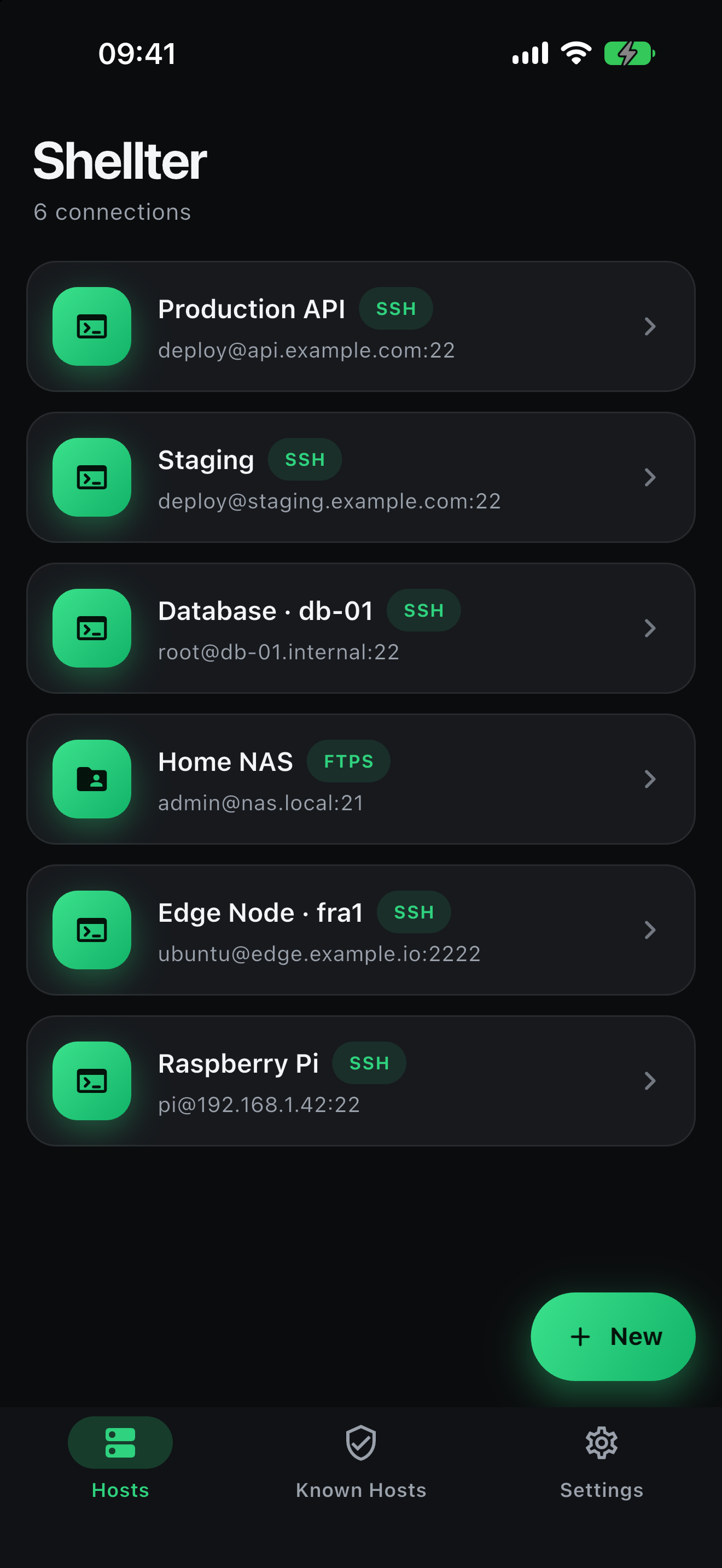
The whole app.


~/features
Built for people who ssh from a train.
A terminal that behaves like one
Interactive shell rendered with xterm. It follows the keyboard, resizes the remote PTY when you rotate the phone, and keeps 10,000 lines of scrollback.
Files without a second login
Open the file browser from inside a live session and it reuses that SSH connection rather than opening another one. Transfers report real progress.
Keys stay where the OS puts them
Private keys and passwords go to the iOS Keychain and Android EncryptedSharedPreferences, hardware-backed where the device supports it. The app never writes a secret to its own database.
Trust on first use, enforced
The fingerprint is pinned on first connect and checked every time after. You can review every pinned key, and forget one to re-pin it.
No account, ever
There is nothing to sign up for. The app makes no network request except to the servers you type in yourself. No analytics, no crash reporting, no ads.
Works at your text size
Light and dark themes, full support for the system text size, and layouts that reflow rather than clip — down to a 4-inch phone in landscape.
~/questions
Questions worth asking of any app that holds a key.
Where do my passwords and private keys actually go?
Into the platform’s own secret store: the Keychain on iOS, EncryptedSharedPreferences on Android, hardware-backed on devices that provide it. They are read only to open a connection, and they are never written to the app’s database, never logged, and never included in an error message.
Deleting a connection removes its stored secrets at the same time.
Can my connections sync to another device?
No, and that is enforced rather than assumed. On Android the app opts out of Google cloud backup and device-to-device transfer. On iOS credentials are stored “this device only”, so they are not carried into an encrypted backup or restored onto another phone. Moving to a new device means entering your connections again — deliberately.
What happens when a server’s host key changes?
The connection stops before authentication and you get a blocking dialog showing both fingerprints — the one pinned on your device and the one the server just offered. Nothing is sent until you choose. A key legitimately changes when a server is rebuilt, so the dialog lets you re-pin, but it makes you say so.
Is FTP safe to use?
Plain FTP is not: credentials and file contents travel in cleartext. FTPS encrypts them, but the FTP library the app uses accepts any TLS certificate, so it does not protect against an active attacker. Both are supported because real servers still require them, and both are labelled as such in the app rather than quietly presented as secure. Use SFTP over an SSH host where you can.
Is it open source?
The source is on GitHub, so the claims on this page can be checked against the code rather than taken on trust.